---
updatedAt: 2026-09-25T04:11:48.000Z
agentTools:
projectIndex: https://docs.ksa.ngenius-payments.com/llms.txt
---
# Customer Shopping and Payment Page Redirection
When customers shop online on the merchant's website, they can now select "N-Genius Online" as a payment option at checkout.
To verify this, please follow these steps:
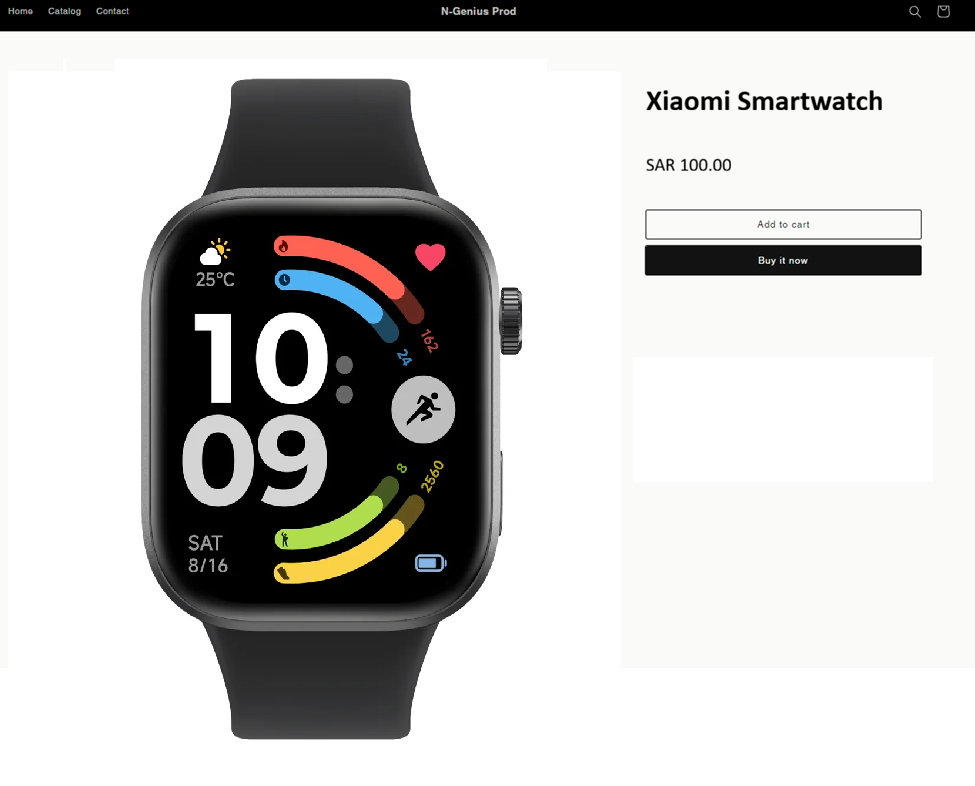
1. Open the **Shopify website** and add some items to the **cart**. Click on the **Buy it now button** and follow the steps in the **checkout process**.
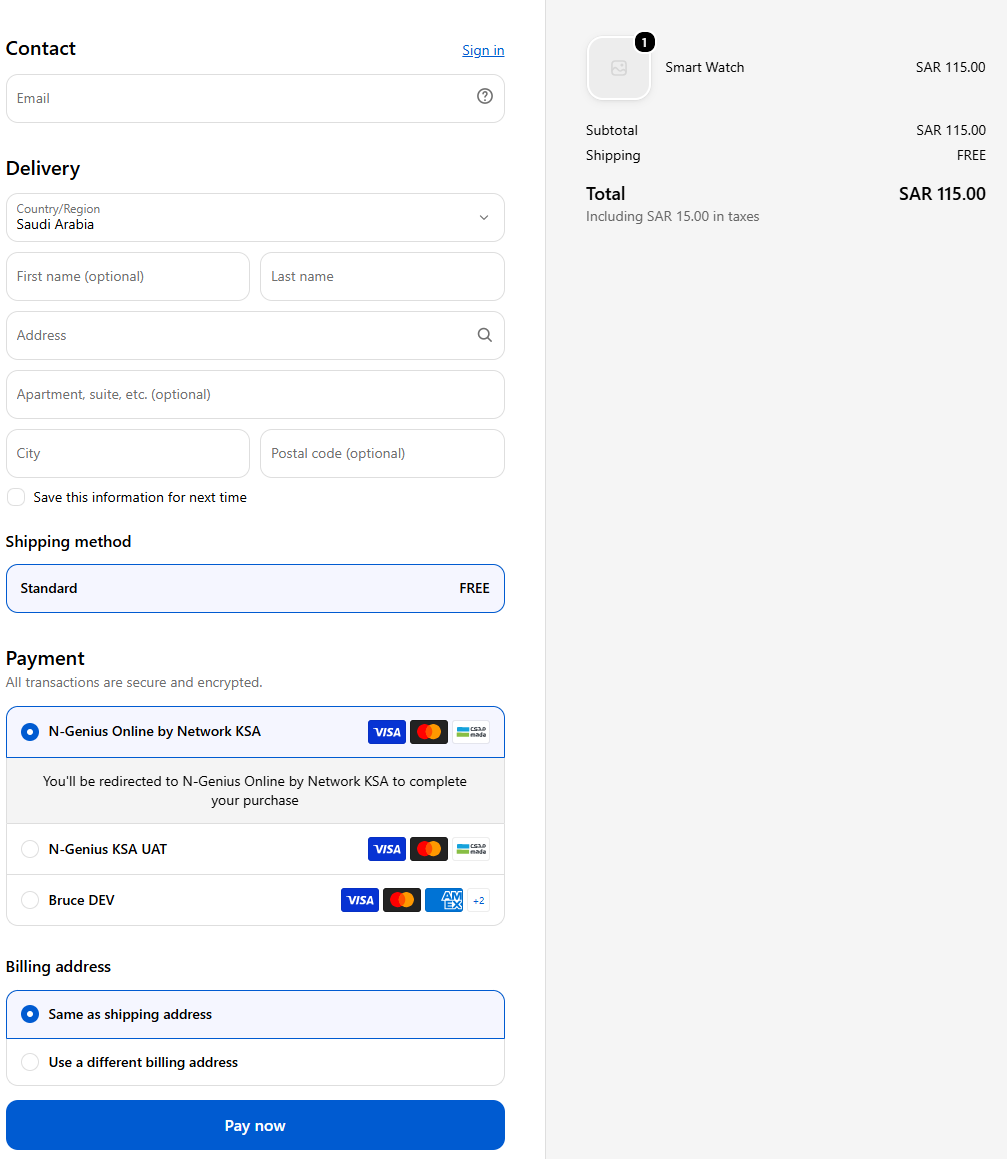
2) Continue with the **checkout process**. You will notice that N-Genius is available as a payment option. Click **Pay Now** to be redirected to the **Payment Page**.
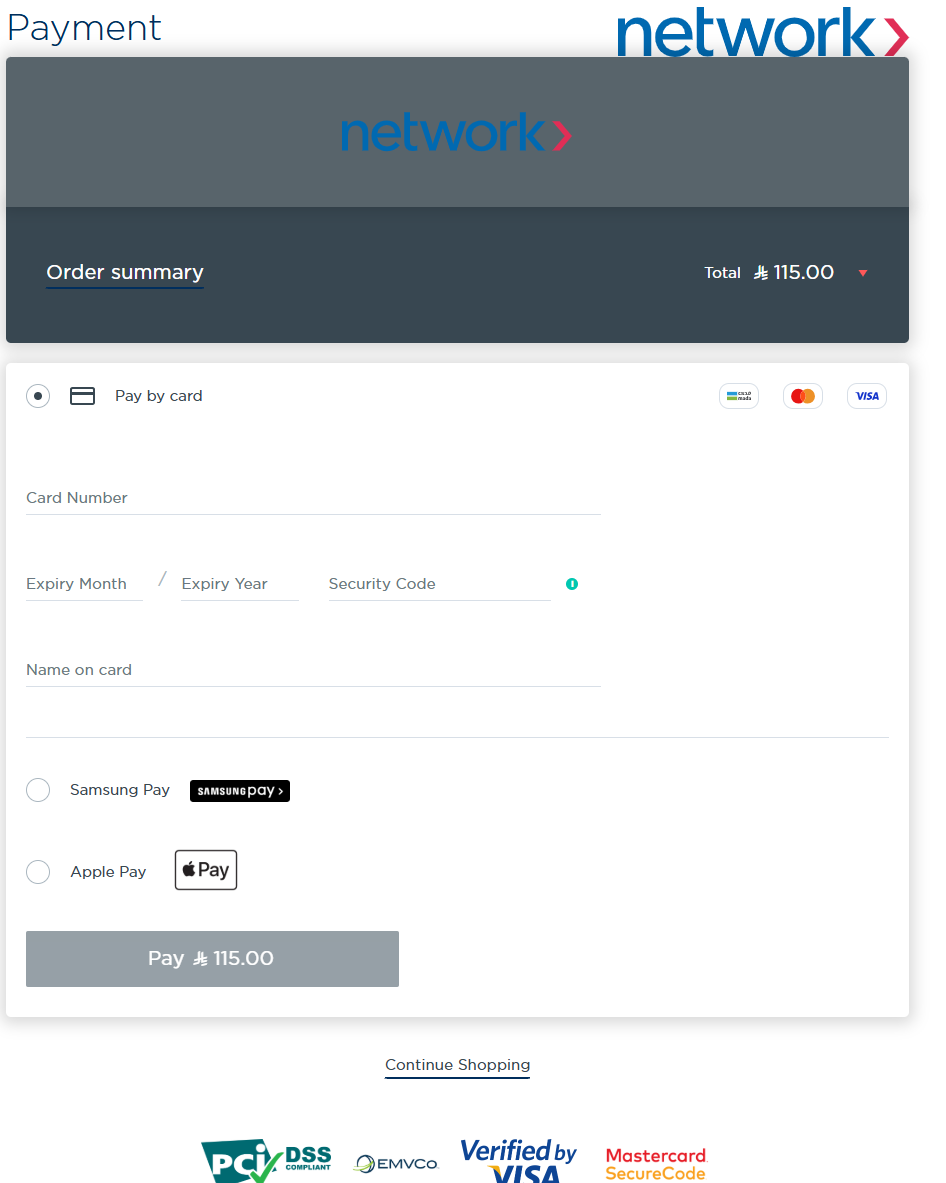
The page will then be redirected to the **“N-Genius Payment Page”**. Fill in the **card details**. After submitting the details, the page will be **redirected** to a **3D Secure page**.
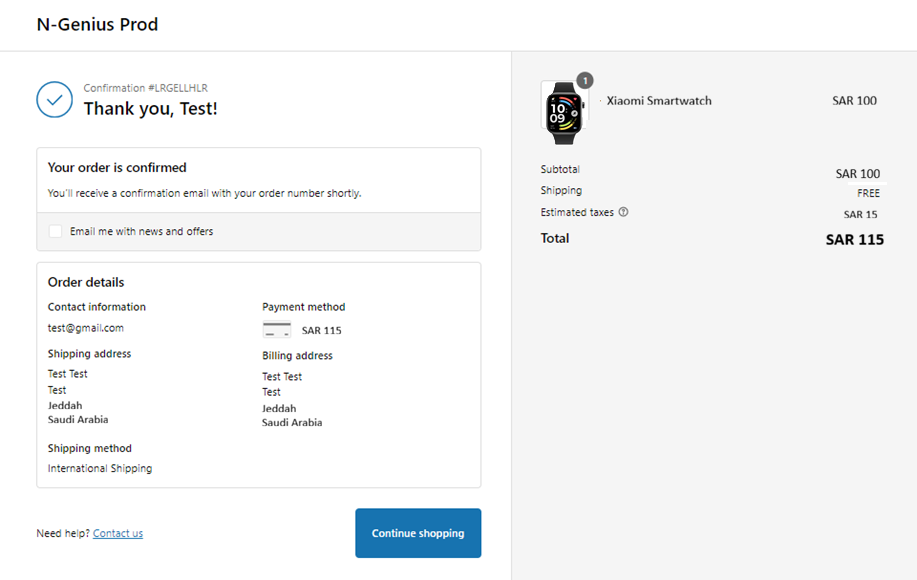
3. Once the payment is **processed**, your browser will be redirected back to the **Shopify website**.
4) To view the test order you just placed, go to the **Shopify Admin Panel**, then click **Orders** and select the **Order**.
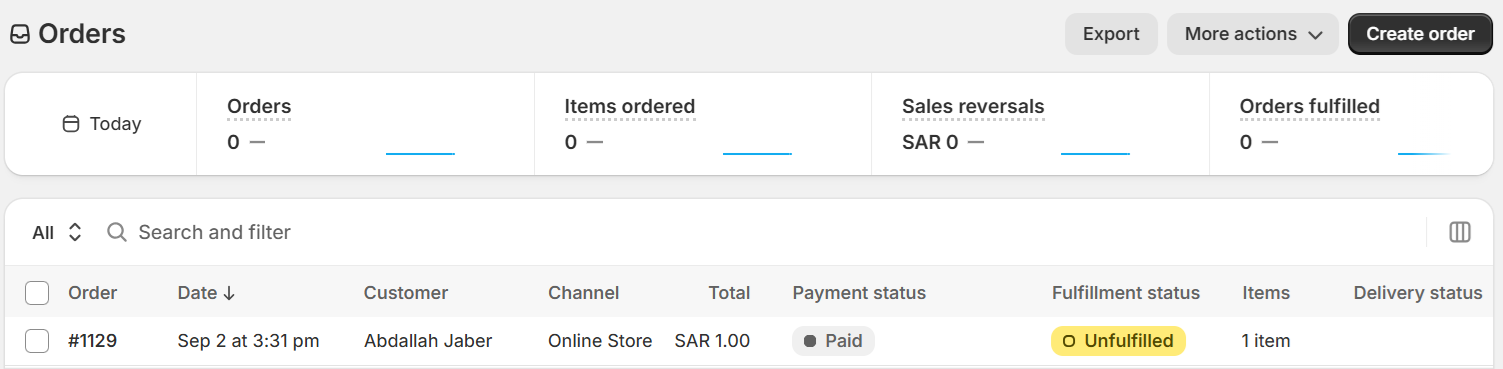
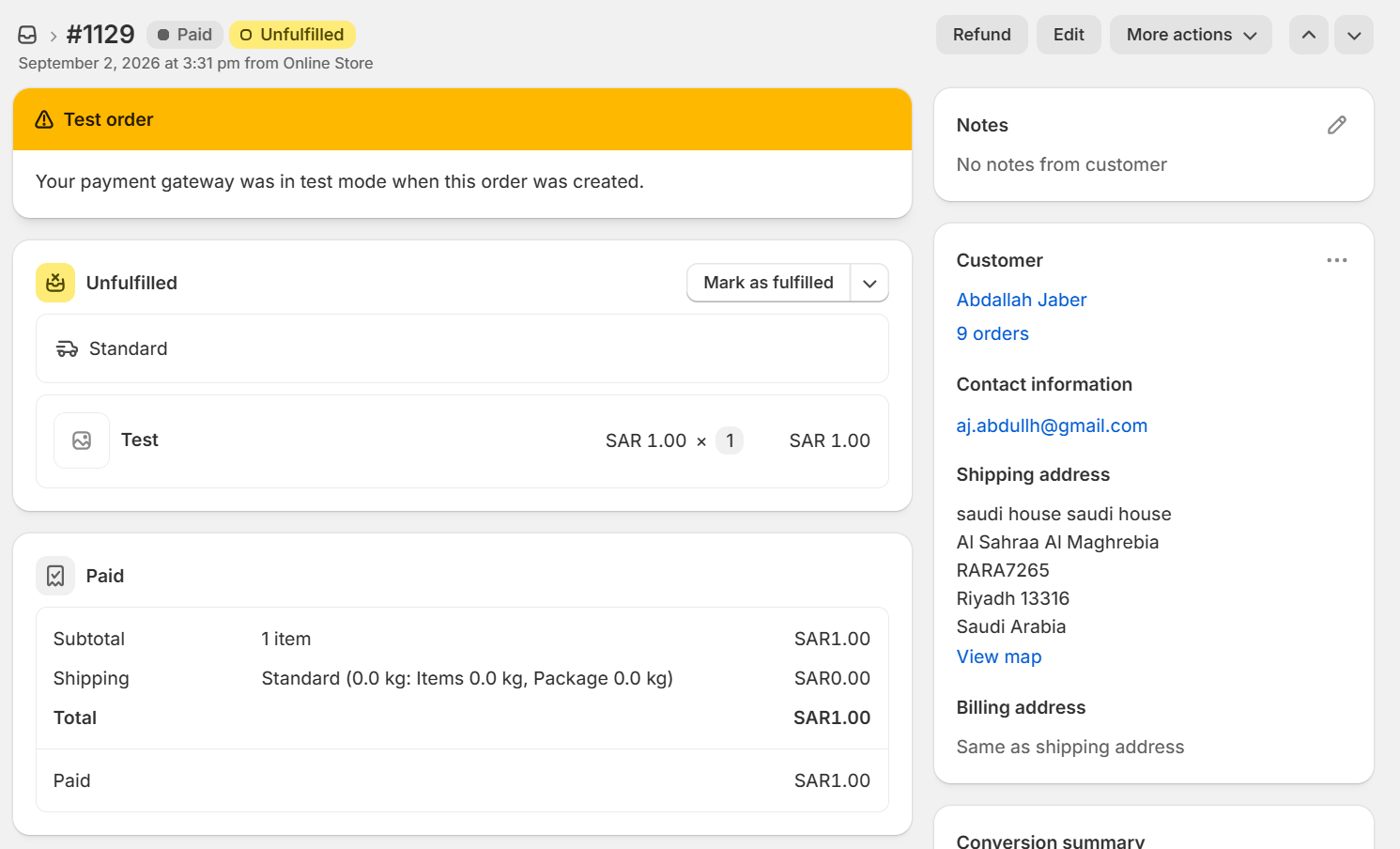
• When viewing the order, you will be able to **Void (Labelled Refund. This will change to Void in the future)** the transaction if the transaction type was Authorize
• When viewing the order, you will be able to **Refund the transaction after 24 hours** if the transaction type was **Sale or Purchase.**
5. To **Refund an Order**, Go to **Orders** and click on the order you’d like to **Refund**. Once the order is displayed, click the **Refund button**. Select the **number of items** you’d like to refund and **Click Refund.** The **status** of the order will change to **Refunded**. If you’d like to process a **Partial Refund**, you can just **enter the amount** you would like to Refund and then click the **Refund button**.
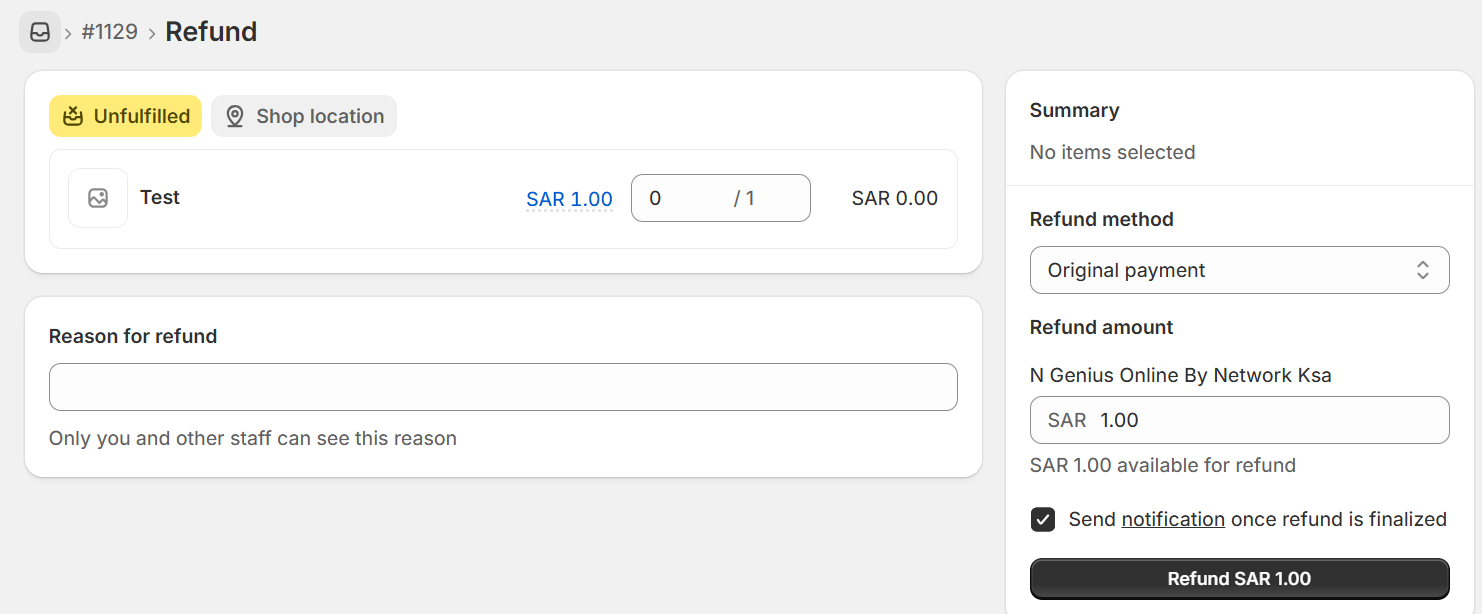
6. To **Void** an order, Go to **Orders** and click on the order you’d like to **Void (Auth Reversal)** **Click Refund (Labelled Refund. This will change to Void in the future)**. The transaction will now be reversed.
**Please note that you can only Void a transaction if the payment action was Authorize**.