

Shopify
Shopify is a complete commerce platform that lets you start, grow, and manage a business. Shopify is completely cloud-based and hosted, which means you don't have to worry about upgrading or maintaining software or web servers. This gives you the flexibility to access and run your business from almost anywhere, including your mobile device.
The platform powers millions of businesses across 175 countries.
With Shopify, you can:
- Create and customize your online store.
- Sell in multiple places, including websites, mobile apps, social media platforms, online marketplaces, brick-and-mortar locations, and pop-up shops.
- Manage products, inventory, payments, and shipping
Abandoned Orders Feature
We've added the Abandoned Orders feature to our Shopify plugin. This feature automatically handles orders that customers don't complete. When a customer reaches the payment page but closes their browser without finishing the transaction, leaving the order in an open status, we automatically cancel the order and update it to a closed status.
More information on the feature can be found here.
Installation
-
Click here to go to the N-Genius App page.
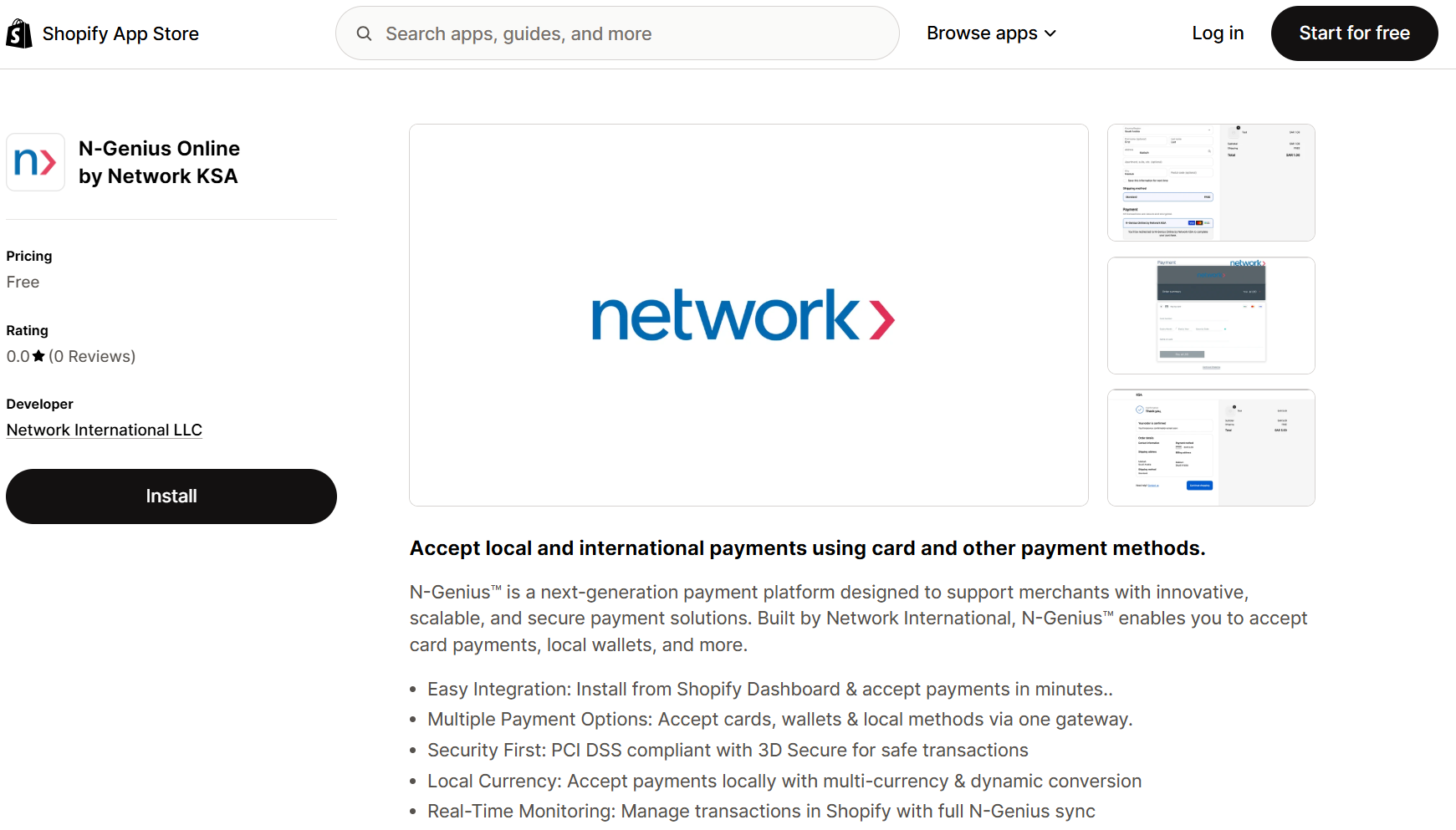
- Once the page loads, you'll see an Install button if you're logged in. If you're not logged in, you'll need to log in to your store first.
- Once you've logged in, the page below will appear. Click Install
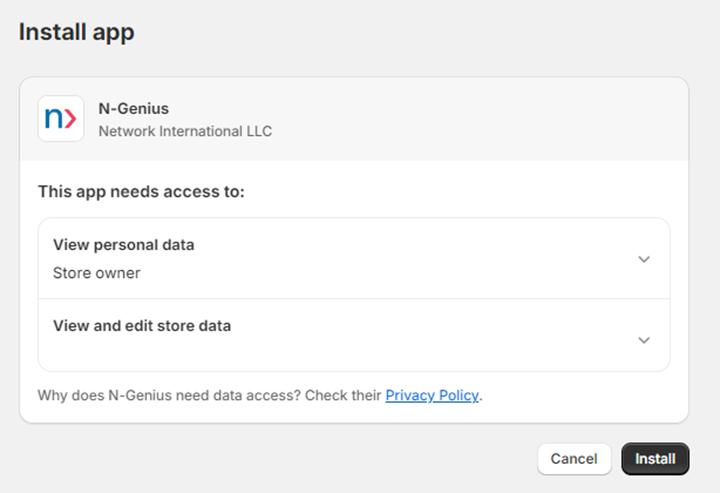
- Once the N-Genius plugin is installed, you will be redirected to another page. Click Activate.
Configuration
- Now that the plugin is activated, click on More Actions and select Manage.
-
You will now be able to configure the plugin with the N-Genius Integration details.
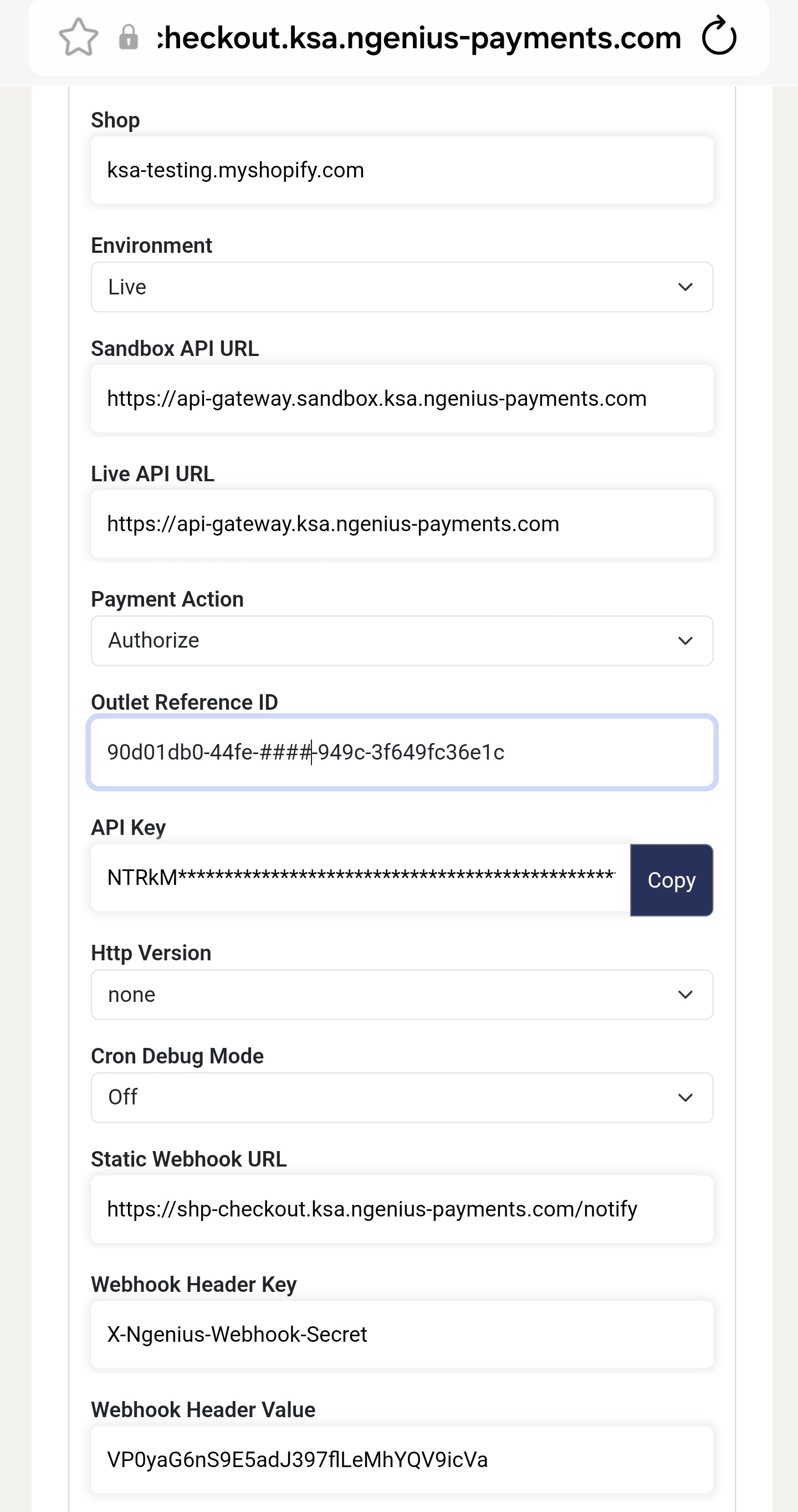
| Field | Description |
|---|---|
| Shop | This will be your store name |
| Environment | Select environment (Sandbox or Live) |
| Sandbox API URL | Enter Sandbox API URL (Partners will receive their specific URLs from Partner Support) https://api-gateway.sandbox.ksa.ngenius-payments.com |
| Live API URL | Enter Live API URL (Partners will receive their specific URLs from Partner Support) https://api-gateway.ksa.ngenius-payments.com |
| Payment Action | Select Payment Action (Authorize or Purchase) More info on Payment Actions can be found here. |
| Outlet Reference | Enter Outlet ID provided by Support or Partner. The Outlet ID can be found in the Portal by going to Settings > Org. Hierarchy and then click on the outlet on the left. Outlet Reference will be displayed on the right. |
| API Key | Enter API Key provided by Support or Partner. The API key can be found in the Portal by going to Settings > Integrations > Service Account. |
| Http Version | Select the Http version that your outlet supports. |
Updated about 3 hours ago