

Social Share
Pay by Link service includes the capability to share payment links directly via your social media channels. This feature is designed to help you connect with your customers more effectively by reaching them on the platforms they use most.
How it works:
- Login into the portal and navigate to the payments section.
- Click on the "New" button to create the invoice. The creation process remains the same as detailed here
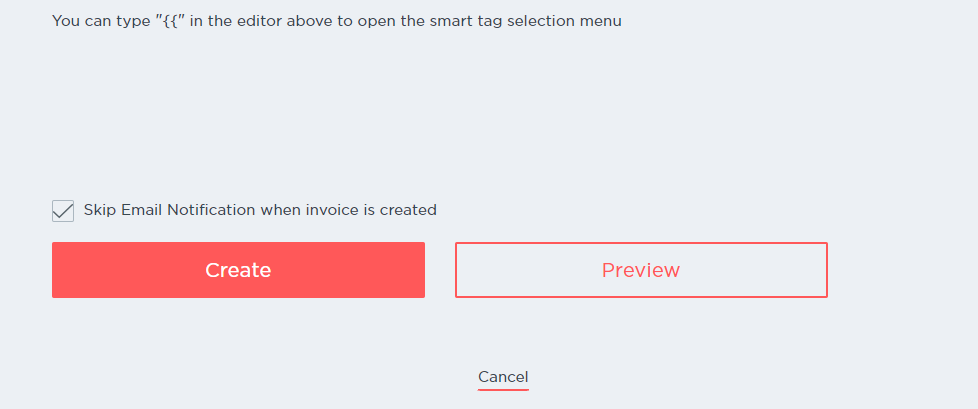
- On the creation page, we have a new option which allows you to Skip sending the email (if you want to). This will then only create the invoice.
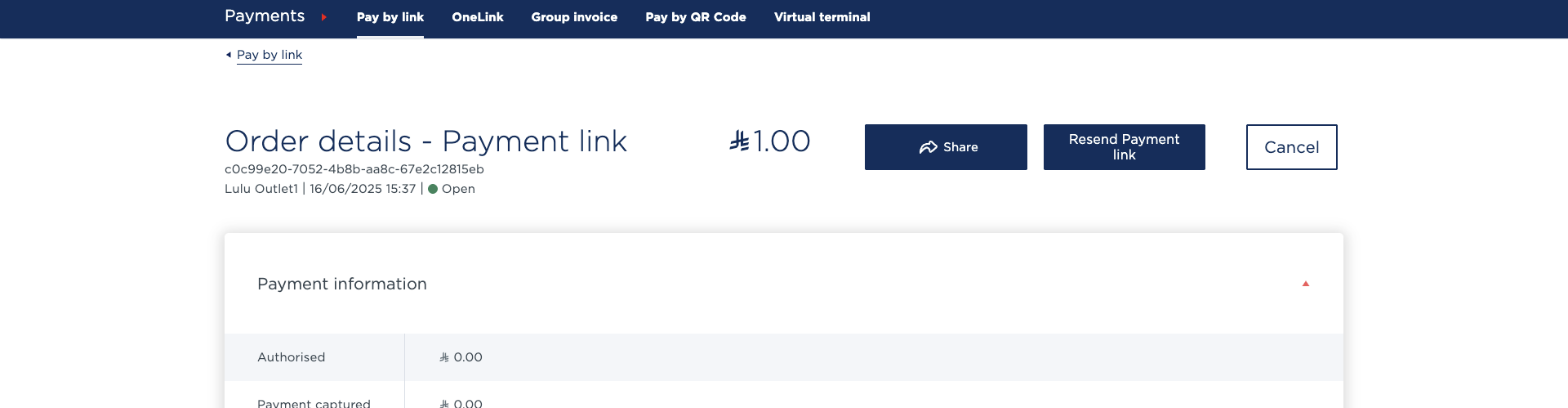
- Once the invoice is created, you can click on the invoice.
- Here you will see the "Share" button.'
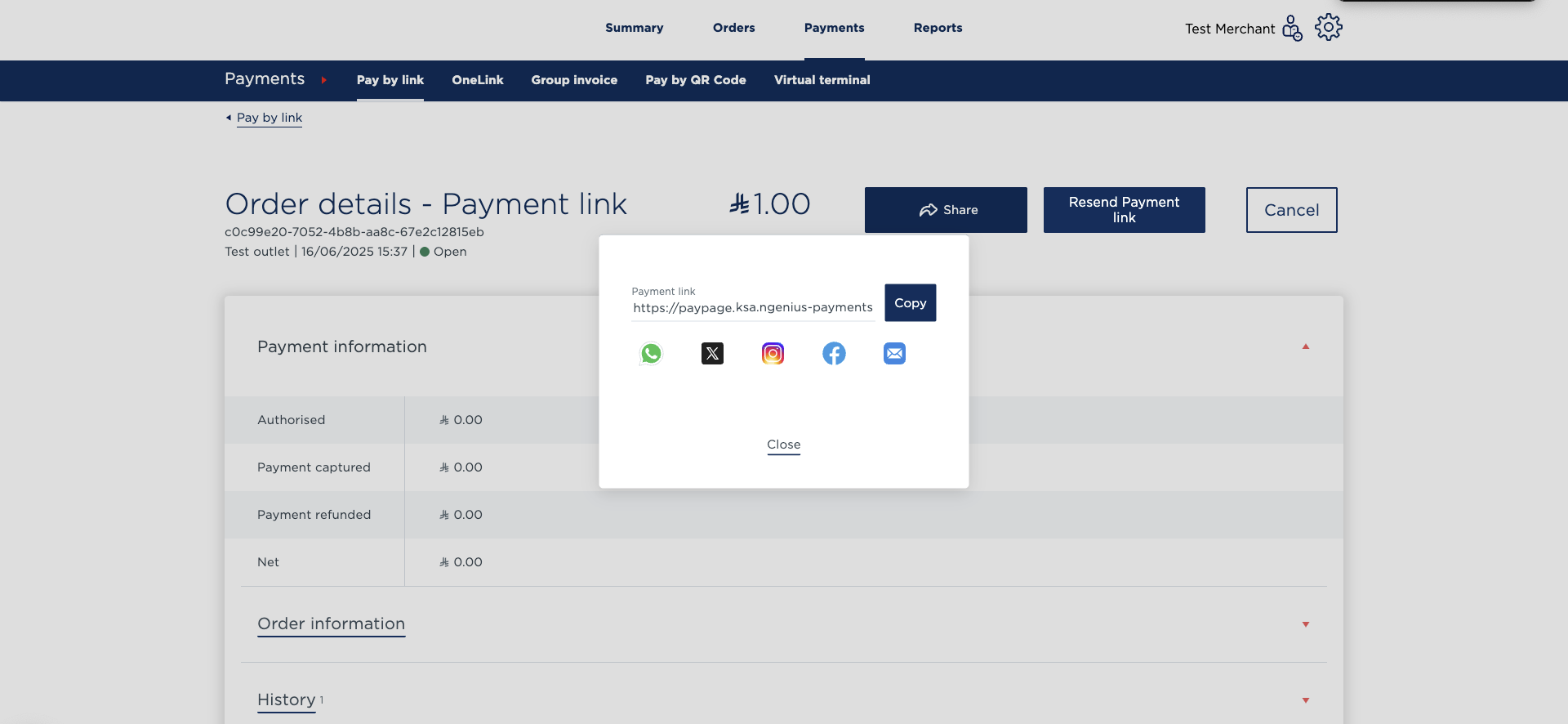
- Clicking on the Share button will bring up a small pop-up window with an option to copy the link and also share it via various social channels which include WhatsApp, Twitter, Instagram, Facebook and Email.
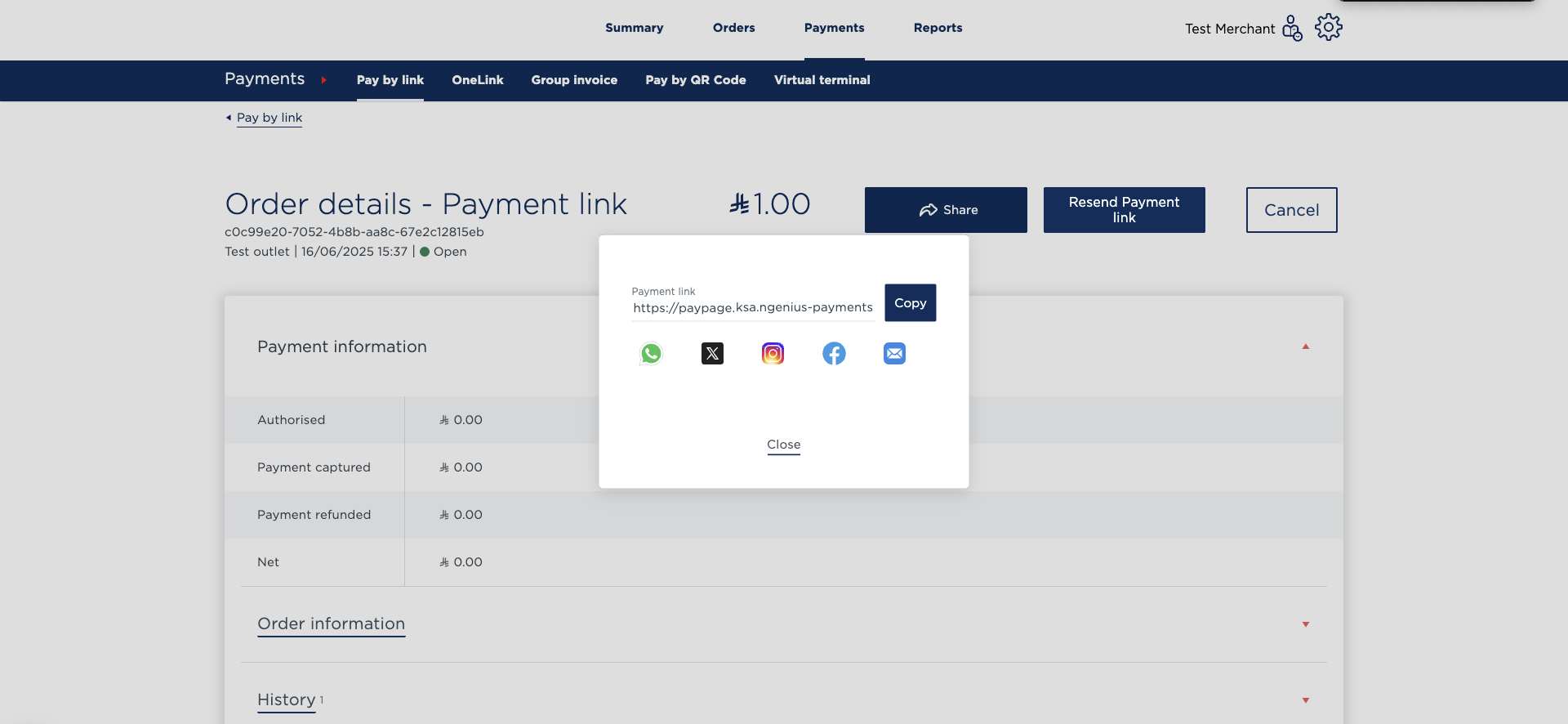
- Clicking on either of the icons will open the platform of your choice with the link and message automatically copied to the clip board.
- You can then share the message and link to your customer via the chosen channel.
Social sharing behaviour may be restricted due to regional fraud-prevention rules.
Updated 8 months ago